
 DHL eCommerce
DHL eCommerce tracking
The other DHL — 14-digit numbers, 1-hour delivery windows and 3,500+ ServicePoints.
DHL eCommerce UK is the other DHL — the one that delivers online shopping to your door, not the international express one. It has its own tracker, its own 14-digit numbers, and its own phone number, and none of them work on the Express tracker.
Track your DHL eCommerce parcel
Enter your 14-digit shipment number (or 7-digit calling-card number) and your delivery postcode.
14 digits for a UK shipment — for example 41505910017980 — or 7 digits for a driver calling card, for example 3710615. The tracker also asks for your delivery postcode.
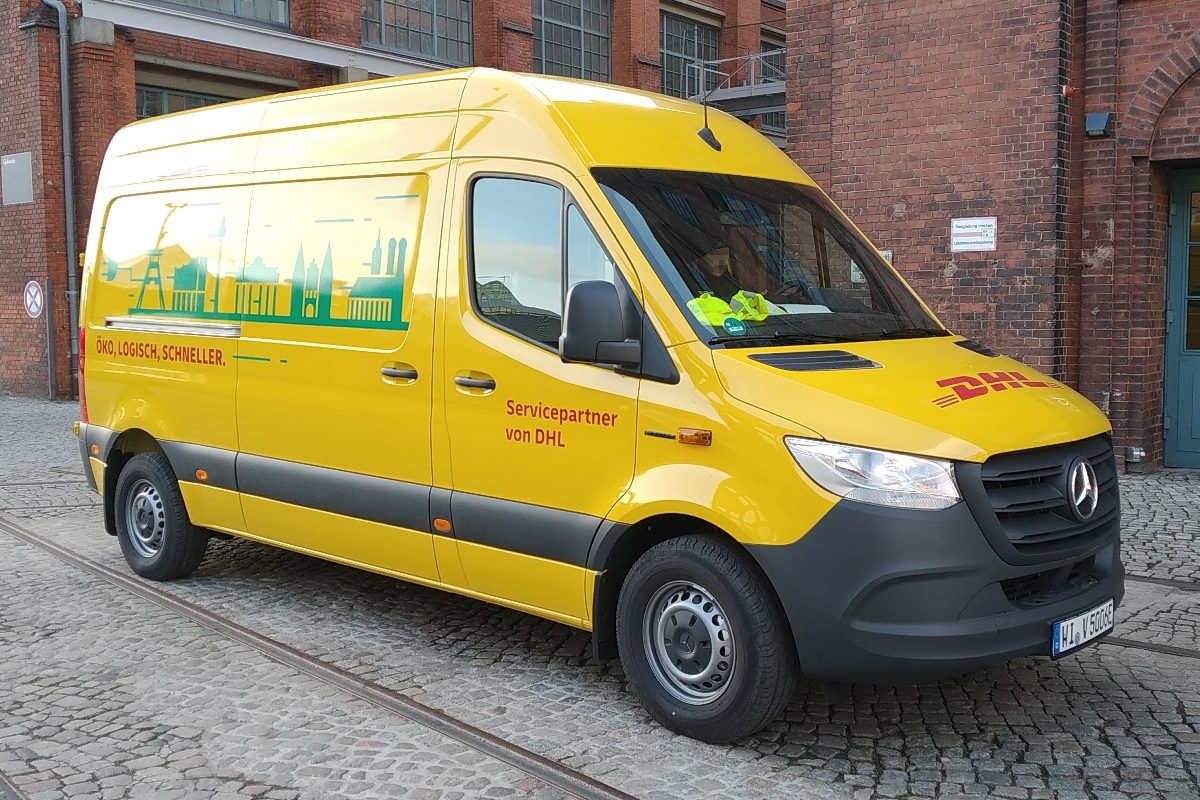
The DHL that is now Evri's — but still DHL on the tracker
There are three DHLs a UK parcel can belong to, and only one of them is this page. DHL Express uses 10-digit waybills. Evri uses 16-character codes. DHL eCommerce UK uses 14-digit shipment numbers — or a 7-digit number on a driver's calling card — and its own tracker at track.dhlecommerce.co.uk.
Evri completed its acquisition of DHL eCommerce UK on 1 October 2025 (CMA decision ME 2253/25; DHL Group took a significant minority stake in Evri). The operation is being run as a separate premium network and is due to be rebranded “Evri Premium – a network of DHL” (Evri's 2025/26 annual report: 2027). But today the public tracker still says DHL eCommerce UK on every page, and the phone number, hours and ServicePoint/depot system are all still the DHL ones. If your number is 14 digits or a 7-digit card number, this is your tracker — not DHL Express, not Evri.
One more tell: the tracker asks for your delivery postcode with the number. If a tracker only wants the number, it is not this one.
Your DHL eCommerce tracking number
14 digits for a UK shipment — for example 41505910017980 — or 7 digits for a driver calling card, for example 3710615. The tracker also asks for your delivery postcode.
Example format: 41505910017980 — that is a shape, not a real parcel. Enter your own number exactly as the sender gave it: a single wrong letter is the most common reason a tracker says “not recognised”.
The tracker also accepts a customer reference and a receipt ID with the delivery postcode. If you have no valid shipment or card number at all, contact your sender — the tracker homepage says so.
DHL eCommerce services & delivery times
Fully tracked, with a 1-hour delivery slot confirmed by email or text and a “change it” option.
Standard UK parcel delivery, booked online and dropped off or collected.
International parcels with proof of delivery as standard.
Collect from a ServicePoint in a local convenience store, open late — 90% of the population is within a 10-minute journey.
Return items through a local ServicePoint.
Follow the driver en route and request a “You're Next” text when the driver is one stop away, typically 5–15 minutes before delivery.
Delivery aims are the courier's stated aims for the service, not guarantees for every parcel. Bank holidays, bad weather and busy periods (especially Christmas) can add a day.
Rearrange it — or collect it yourself
You don't have to wait in for a DHL eCommerce delivery. From the tracker, or the link in your delivery message, you can pick another day, a neighbour, a safe place, a ServicePoint or your local depot.
Depot collection is available one working day after you rearrange. ServicePoint collection uses the confirmation message — 3,500+ ServicePoints across the UK.
One thing this network does not have: ParcelShops and lockers. Those are Evri's network, not this one — if your parcel was left at a ParcelShop or locker, it is an Evri parcel, not a DHL eCommerce one. And if nobody is home and the parcel needs a signature, it goes back to the local depot rather than being left safe.
What each DHL eCommerce status means
| Status | What it means | What to do |
|---|---|---|
| Delivery Due Date | Your parcel has been collected or dropped off; the notification confirms the delivery date. | Use “Rearrange a delivery” in the message if you need another day, a neighbour, a safe place or a ServicePoint. |
| Out for Delivery | The parcel is out for delivery and you get a 1-hour delivery window. | Be ready inside your window, or ask for a “You're Next” text. |
| You're Next | A text when the driver is one stop away, typically 5–15 minutes before delivery. | Be ready — delivery is minutes away. |
| Delivered: Left with a Neighbour | Left with a neighbour; the text or email names the house name or number. | Collect it from the neighbour named in the message. |
| Delivered: Left in a Safe Place | Left in the safe place you agreed; the message says where. | Check the spot named in the message. |
| No One Home | A signed-for parcel that couldn't be left safe is returned to your local depot. | Use the message link to reschedule or arrange depot collection. |
| Parcel Ready for Collection | Taken to your nearest ServicePoint for collection. | Collect it with your confirmation message. |
Parcel stuck or delayed — what to do
- Check the digits: 14 digits or a 7-digit card number belong here. A 10-digit number is DHL Express — use the Express tracker. A 16-character code is Evri — use evri.com.
- If the tracker says the number is not recognised, check the postcode: this tracker asks for the delivery postcode with the number. If you have no valid shipment or card number, contact your sender — the tracker homepage says so.
- No scan for 48 hours: the parcel may still be with the sender — the tracker only shows scans once DHL has the parcel. Contact the sender first, then DHL eCommerce UK on +44 2476 937770 (Mon–Fri 7am–8pm, Sat 8am–6pm).
- If the delivery date has passed with no update, use the “Rearrange a delivery” option in the tracker or the message links to pick another day, a neighbour, a safe place, a ServicePoint or depot collection — rather than waiting for another attempt.
More detail: Parcel stuck in transit — the full step-by-step guide.
Contact DHL eCommerce
Customer servicesDHL eCommerce UK customer service, Mon–Fri 7am–8pm, Sat 8am–6pm. Have your 14-digit shipment number (or 7-digit calling-card number) and delivery postcode ready. DHL Express parcels are handled separately — this team cannot track them.
If you are the recipient and the parcel is lost or damaged, contact the retailer/sender first — most couriers only accept claims from the sender.
DHL eCommerce tracking — FAQs
Is DHL eCommerce the same as DHL Express?
No. Two separate DHL operations in the UK. Express uses 10-digit waybills and its own tracker; eCommerce UK uses 14-digit numbers (or a 7-digit calling card) and is tracked at track.dhlecommerce.co.uk. Neither team can help with the other's parcels.
Is DHL eCommerce now Evri?
Evri bought DHL eCommerce UK and the deal completed on 1 October 2025. The network is being run separately and is due to be rebranded 'Evri Premium – a network of DHL' (Evri's annual report says 2027). For now the tracker, phone number and ServicePoints still run under the DHL eCommerce UK name.
Why does my DHL number not work?
Check the digits: 14 digits or a 7-digit card number belong here; 10 digits is DHL Express; 16 characters is Evri. This tracker also asks for the delivery postcode — enter it exactly as on the order.
Can I change my delivery day or place?
Yes — use 'Rearrange a delivery' in the tracker or the link in your delivery message: another day, a neighbour, a safe place, a ServicePoint or your local depot. Depot collection is available one working day after rearranging.
What if nobody is home?
If the parcel can be left safe or with a neighbour, the driver does that and you get a text or email saying where. If it needs a signature, it goes back to your local depot and you get a message to reschedule.
Track with another UK courier
Not DHL eCommerce after all? Your parcel may have changed hands — check the other couriers: